

The ride-hailing industry has evolved far beyond simple point-to-point transportation. Today, users demand flexibility, convenience, and personalized travel experiences—and this is where rental-based ride services are gaining massive traction.
With increasing urban congestion and diverse travel needs, people are no longer looking for just a ride from A to B. Instead, they want vehicles on-demand for a few hours, multiple stops, or even an entire day. This shift has fueled the growth of rental ride services, making them one of the fastest-growing segments in urban mobility.
One of the most successful implementations of this model is Uber Rentals, a feature that allows users to book a car for a fixed duration instead of a single trip. Whether it’s for business meetings, city tours, or running errands, Uber Rentals provides a flexible and predictable travel solution—making it highly popular among urban users.
This growing demand presents a lucrative opportunity for startups, taxi businesses, and entrepreneurs to build their own rental ride-hailing platforms.
This guide is designed specifically for:
a. Startups looking to enter the ride-hailing industry
b. Taxi operators aiming to expand their services
c. Entrepreneurs exploring scalable mobility business models
If you’re planning to build an app like Uber Rentals, this guide will walk you through everything—from understanding the concept to development, monetization, and marketing.
Table of Contents
What is Uber Rentals & How It Works
Rental-based ride-hailing is a service model where users book a vehicle for a predefined duration (hourly or package-based) instead of a single destination trip. It allows users to make multiple stops and use the vehicle as per their convenience during the booking period.
Unlike traditional ride-hailing, this model offers flexibility, making it ideal for users with dynamic travel needs.
Difference Between Ride Types
To better understand the rental model, let’s compare it with other ride-hailing formats:
1. Standard Ride-Hailing
a. Point-to-point travel
b. Fixed origin and destination
c. Pricing based on distance/time
d. No multiple stops (or limited)
2. Outstation Rides
a. Long-distance intercity travel
b. One-way or round-trip bookings
c. Usually planned in advance
3. Rentals (Hourly Packages)
a. Time-based booking (e.g., 2 hours, 4 hours, 8 hours)
b. Multiple stops allowed
c. Flexible routes
d. Pricing based on duration + distance
Working Model of Uber Rentals
The operational flow of a rental ride app is designed to deliver maximum flexibility, transparency, and ease of use—making it highly appealing for both riders and drivers. Here’s a more detailed breakdown of how the system works:
1. User Selects Rental Package
The journey begins with users choosing a rental package based on their needs. These packages are typically structured around duration (e.g., 2, 4, 8 hours) and a predefined distance limit (e.g., 20 km, 40 km).
The app clearly displays pricing upfront, helping users make informed decisions without worrying about unexpected costs.
2. Driver Assignment
Once the package is selected and the booking is confirmed, the system automatically matches the request with the nearest available driver. Advanced algorithms consider factors like proximity, driver availability, and past performance to ensure quick and efficient allocation.
3. Ride Begins
After the driver arrives and the trip starts, the user gains full flexibility throughout the booked duration. Unlike standard rides, users can:
a. Make multiple stops
b. Modify routes on the go
c. Extend travel time if needed
Real-time GPS tracking ensures both the rider and the platform can monitor the journey seamlessly.
4. Trip Completion
The ride concludes either when the booked time expires or when the user decides to end the trip earlier.
If the user exceeds the selected duration or distance, the system continues tracking usage for accurate billing.
5. Billing Calculation
The final fare is calculated in a transparent and structured manner, ensuring there are no surprises for the user. It typically includes:
a. Base Package Price (fixed cost for selected duration and distance)
b. Additional Time Charges (if the ride exceeds the booked hours)
c. Extra Distance Charges (if the included kilometers are exceeded)
Some platforms may also include waiting charges or surge pricing based on demand.
Looking To Launch An App Which Works like Uber Rentals
Market Opportunity & Business Potential
Rising Urban Mobility Needs
Urban mobility is becoming increasingly complex due to traffic congestion, time constraints, and diverse travel requirements. People are constantly looking for smarter ways to commute within cities.
Rental ride services fill a critical gap by offering:
a. Flexibility
b. Cost predictability
c. Convenience for multi-stop journeys
Use Cases of Rental Ride Apps
Rental-based services cater to a wide range of real-life scenarios:
1. Business Meetings
a. Professionals attending multiple meetings in a day
b. No need to book separate rides
2. City Tours
a. Tourists exploring multiple locations
b. Comfortable and uninterrupted travel experience
3. Errand-Based Travel
a. Running errands like shopping, bank visits, etc.
b. Saves time and effort
Why Rentals Are Profitable
The rental model is not just user-friendly—it’s also highly profitable for businesses.
1. Higher Ticket Size
Rental bookings are longer in duration, leading to higher revenue per trip.
2. Better Driver Utilization
Drivers remain engaged for extended periods, reducing idle time.
3. Predictable Pricing
Predefined packages ensure clarity in pricing and reduce disputes.
Steps to Build An App Like Uber Rentals
Step 1: Define Business Model
Before you begin development, it’s crucial to establish a clear business model. This decision will shape your operational strategy, cost structure, scalability, and long-term profitability.
Aggregator Model
In this model, your platform acts as a bridge between riders and independent drivers.
a. You connect riders with drivers: Drivers register on your platform and accept bookings from users.
b. Earn commission on each ride: You take a percentage from every completed trip.
c. Scalable and asset-light: Since you don’t own vehicles, expansion becomes easier and faster across cities.
d. Best suited for: Startups looking for rapid growth with minimal upfront investment.
Fleet Owner Model
Here, you own and manage the vehicles and drivers directly.
a. Full control over operations: You manage pricing, driver behavior, and service quality.
b. Higher investment required: Costs include vehicle purchase, maintenance, fuel, and driver salaries.
c. Better brand consistency: Since everything is in-house, service quality can be standardized.
d. Best suited for: Businesses prioritizing control and premium service experience.
Target Audience
Identifying your audience helps you design better features and marketing strategies.
a. Corporate professionals: Need vehicles for meetings, client visits, and daily travel.
b. Tourists: Prefer flexible rentals for sightseeing and city exploration.
c. Daily commuters with multi-stop needs: Users running errands or managing multiple tasks.
d. Why it matters: Your audience determines pricing, packages, and feature prioritization.
Step 2: Choose the Right Features
Your platform’s success largely depends on how well it solves user problems. The right feature set ensures a seamless experience for riders, drivers, and admins.
For Riders
These features are critical because they directly influence user experience, satisfaction, and retention. A smooth rider experience is what ultimately drives repeat bookings.
1. Package Selection (Hourly/KM-Based)
This is the core of a rental ride app. Instead of entering a destination, users select from predefined packages such as 2 hours/20 km or 4 hours/40 km.
a. Displays multiple package options with clear pricing
b. Helps users choose based on their travel needs and budget
c. Reduces uncertainty around final fare
2. Real-Time Tracking
This feature uses GPS technology to show the live location of the driver and ride progress on a map.
a. Track driver arrival before trip starts
b. Monitor the journey in real time
c. Share trip status with friends/family for safety
3. Multi-Stop Booking
Unlike standard rides, rental users often need to visit multiple places within a single booking.
a. Add, edit, or reorder multiple stops during the trip
b. No need to book separate rides for each destination
c. Supports dynamic route changes
4. Fare Estimation
Before confirming the booking, users are shown an approximate fare based on the selected package.
a. Breaks down base price, duration, and included distance
b. Shows additional charges (if applicable)
c. Helps users compare packages
5. In-App Payments
A seamless payment system allows users to complete transactions within the app.
a. Supports multiple payment methods (UPI, cards, wallets, net banking)
b. Enables cashless transactions
c. Generates instant invoices
6. Ride Scheduling
This feature allows users to pre-book rental rides for a specific date and time.
a. Ideal for airport transfers, meetings, or planned travel
b. Ensures vehicle availability in advance
c. Sends reminders and notifications
For Drivers
Driver-side features are equally important as they impact driver satisfaction, retention, and overall supply availability.
1. Ride Acceptance/Rejection
Drivers receive ride requests and can choose whether to accept or decline them.
a. Displays trip details (duration, estimated earnings, pickup location)
b. Helps drivers make informed decisions
c. Reduces forced or unwanted trips
2. Earnings Dashboard
A dedicated dashboard provides a clear overview of driver earnings.
a. Tracks daily, weekly, and monthly income
b. Displays completed trips and incentives
c. Shows deductions (commission, fees)
3. Navigation Support
Integrated navigation helps drivers follow the best routes during the trip.
a. Real-time GPS navigation
b. Traffic-aware route suggestions
c. Turn-by-turn directions
4. Availability Toggle
Drivers can switch between online and offline modes anytime.
a. Go online to receive bookings
b. Go offline when unavailable
c. Manage work hours independently
For Admin
The admin panel is the backbone of your platform, enabling you to control, monitor, and scale operations effectively.
1. Fleet Management
This feature allows you to manage all vehicles and drivers from a single dashboard.
a. Monitor active/inactive drivers
b. Track vehicle availability
c. Assign or restrict drivers
2. Commission Setup
Admins can define how much commission is charged per ride.
a. Set percentage-based or fixed commissions
b. Configure different rates for different cities or services
c. Adjust commissions dynamically
3. Pricing Control (Hour/KM Packages)
Admins can create and manage rental packages.
a. Define base fare, included time, and distance
b. Set extra charges for additional usage
c. Customize pricing for peak hours
4. Analytics Dashboard
A powerful analytics system provides insights into platform performance.
a. Track bookings, revenue, and growth trends
b. Analyze user behavior and peak usage times
c. Measure driver performance
Driver & User Management
Admins can manage all platform users efficiently.
a. Approve/reject driver registrations
b. Verify documents and profiles
c. Handle complaints, disputes, and support tickets
Launch a Feature-Rich App Like Uber Rentals
Step 3: Finalise The Revenue Channels
A strong monetization strategy is essential to ensure long-term sustainability and profitability. By combining multiple revenue streams, you can create a stable and scalable business model.
Commission Per Ride
This is the most common and reliable revenue model. The platform charges a fixed percentage or flat fee from every completed booking. Since revenue is directly tied to ride volume, it grows as your platform scales, making it a consistent and predictable income source.
Subscription Plans for Drivers
In this model, drivers pay a recurring fee to access premium benefits such as lower commissions or priority bookings. It helps drivers increase their earnings while providing the platform with steady, recurring revenue, even during low booking periods.
Surge Pricing
Surge pricing allows you to increase fares during high-demand periods like peak hours or bad weather. This not only boosts revenue but also encourages more drivers to become active, helping balance demand and supply.
Corporate Tie-Ups
Partnering with businesses for employee transportation ensures bulk and recurring bookings. These long-term contracts provide a stable revenue stream and reduce dependency on individual users.
Step 4: Development Approach
Choosing the right development approach is a critical decision that directly impacts your time-to-market, budget, scalability, and long-term flexibility. Whether you build from scratch or use a ready-made solution will determine how quickly you can launch and start generating revenue.
1. Custom Development
Custom development involves building your ride-hailing platform from scratch based on your specific business requirements. It gives you complete control over design, features, and overall functionality, allowing you to create a highly customized and unique solution tailored to your brand and operational needs. However, this level of flexibility comes with higher costs, longer timelines, and the need for a dedicated technical team.
Pros:
a. Fully customizable platform
b. Unique features tailored to your business
c. Complete control over design and functionality
d. Greater flexibility for integrations and scalability
Cons:
a. High development cost
b. Longer time to launch
c. Requires a skilled technical team
d. Ongoing maintenance and upgrade costs
2. Readymade Software
Readymade software provides a pre-built solution that includes all essential features needed to launch a ride-hailing platform. It allows businesses to go live quickly without investing months in development, making it a practical choice for startups and growing companies looking to enter the market faster and more efficiently.
Pros:
a. Faster deployment (launch in weeks)
b. Cost-effective compared to custom development
c. Pre-tested and reliable features
d. Scalable architecture for growth
Cons:
a. Limited customization compared to custom build
b. Dependency on the software provider for updates
How VivoCabs Can Help
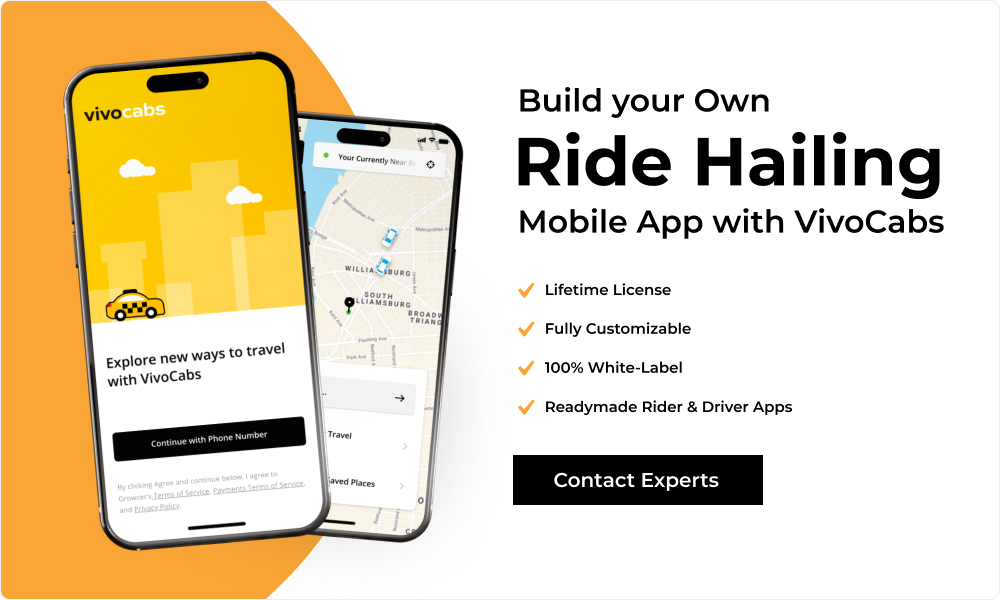
A solution like VivoCabs is specifically designed to simplify and accelerate the launch of your ride-hailing business, including rental-based services similar to Uber Rentals.
Instead of starting from scratch, VivoCabs provides a complete, ready-to-deploy ecosystem that covers all essential components of your platform.
It comes equipped with built-in capabilities such as:
a. Rental package configuration, allowing you to easily create hourly and distance-based plans tailored to your market.
b. Dedicated rider and driver mobile apps, enabling seamless booking and trip management.
c. A powerful admin dashboard, giving you full control over pricing, commissions, users, and operations.
d. Scalable architecture, ensuring your platform can handle growth as your user base expands.
What makes VivoCabs particularly valuable is that it doesn’t just offer software—it provides a business-ready solution. You can quickly launch your platform, test your market, and start generating revenue without dealing with the complexities of development.
Key Benefits:
- Save months of development time and effort
- Significantly reduce upfront investment
- Launch faster and gain a competitive edge
- Focus on scaling your business instead of building technology
Build Your Own App Like Uber Rentals With VivoCabs
Step 5: How to Launch & Market Your App
Launching your app is just the first milestone—real success depends on how effectively you attract users, drive installs, and convert them into active customers. A well-planned marketing strategy helps you build initial traction, create brand visibility, and establish a strong presence in your target market.
App Install Campaigns
Run targeted paid campaigns on platforms like:
a. Google Ads
b. Meta Ads (Facebook & Instagram)
These platforms allow you to reach users actively searching for ride services or browsing relevant content.
Focus on:
a. Cost per install (CPI): Continuously optimize campaigns to reduce the cost of acquiring each user
b. Geo-targeting: Target specific cities or high-demand locations for better conversion rates
c. App Store Optimization (ASO): Improve your app’s visibility with optimized titles, descriptions, and visuals
Local SEO Optimization
Local SEO helps you attract users who are searching for services in your area.
a. Optimize your website for keywords like “ride rental near me”
b. Create and optimize your Google Business Profile
c. Build local backlinks to improve search rankings
Referral Programs
Referral marketing is one of the most cost-effective ways to grow your user base.
a. Encourage existing users to invite friends and family
b. Offer incentives like discounts, ride credits, or cashback
Conclusion
Building an app like Uber Rentals is a strategic opportunity in today’s evolving mobility landscape. With increasing demand for flexible, multi-stop, and time-based travel, rental ride services are quickly becoming a preferred choice for urban users.
From defining the right business model and selecting essential features to choosing an efficient development approach and implementing effective marketing strategies—each step plays a crucial role in your platform’s success. Businesses that focus on user convenience, transparent pricing, and operational efficiency are more likely to stand out in this competitive space.
FAQs
Q 1. What is an app like Uber Rentals?
Ans. An app like Uber Rentals is a rental-based ride-hailing platform that allows users to book vehicles for a fixed duration instead of a single trip. Users can travel to multiple locations, make stops, and use the vehicle flexibly within the selected time package.
Q 2. How is Uber Rentals different from regular ride-hailing apps?
Ans. Unlike standard ride-hailing, which is limited to point-to-point travel, rental apps offer time-based bookings. This means users can make multiple stops, modify routes, and use the vehicle for several hours without booking separate rides.
Q 3. How much does it cost to build an app like Uber Rentals?
Ans. The cost depends on the development approach. Custom development can be expensive and time-consuming, while using a ready-made solution like VivoCabs significantly reduces costs and allows faster deployment.
Q 4. How long does it take to develop a rental ride-hailing app?
Ans. A custom-built app can take several months to develop and test. In contrast, a readymade solution can help you launch your platform within a few weeks.
Q 5. Why should I choose a readymade solution instead of building from scratch?
Ans. Readymade solutions help you save time and cost while offering pre-built, tested features. They allow you to launch faster and focus on business growth rather than technical development.
Q 6. How can VivoCabs help in building an app like Uber Rentals?
Ans. VivoCabs provides a ready-to-deploy ride-hailing solution with built-in rental features such as hourly package configuration, driver and rider apps, and a powerful admin panel. It enables businesses to launch quickly, reduce development costs, and scale efficiently.
Q 7. Is it possible to customize a readymade ride-hailing solution?
Ans. Yes, most modern readymade solutions, including VivoCabs, offer customization options to align the platform with your branding and business requirements.
Build a Scalable App Similar To Uber Rentals
Get in TouchPopular Posts